
Download 3D Earth Screensaver – free Windows 3D desktop background
Overview
The 3D Earth Screensaver is a lightweight, free desktop‑customization tool that brings a rotating globe to your Windows workstation. First introduced to the catalog in 2012, the program has amassed more than 10,000 downloads, with a steady trickle of new users from Spain, India, and Slovakia. Built for Windows 98 and later versions, the screensaver runs in English and occupies far less disk space than most screen‑saving utilities, making it ideal for older machines or systems with limited storage.
The current version (1.0) was last updated on June 19 2012, but its core functionality remains solid: a smooth, real‑time rendering of Earth that can be set as a screensaver or desktop background. Because it is a pure Windows executable, installation is a simple double‑click, and the program requires no additional runtimes or internet connection to work after download. Whether you want a calming visual during idle moments, an educational tool for geography enthusiasts, or a sleek backdrop for presentations, 3D Earth Screensaver delivers a polished, high‑resolution view of our planet without demanding a premium price tag—or any price at all.
Key Features
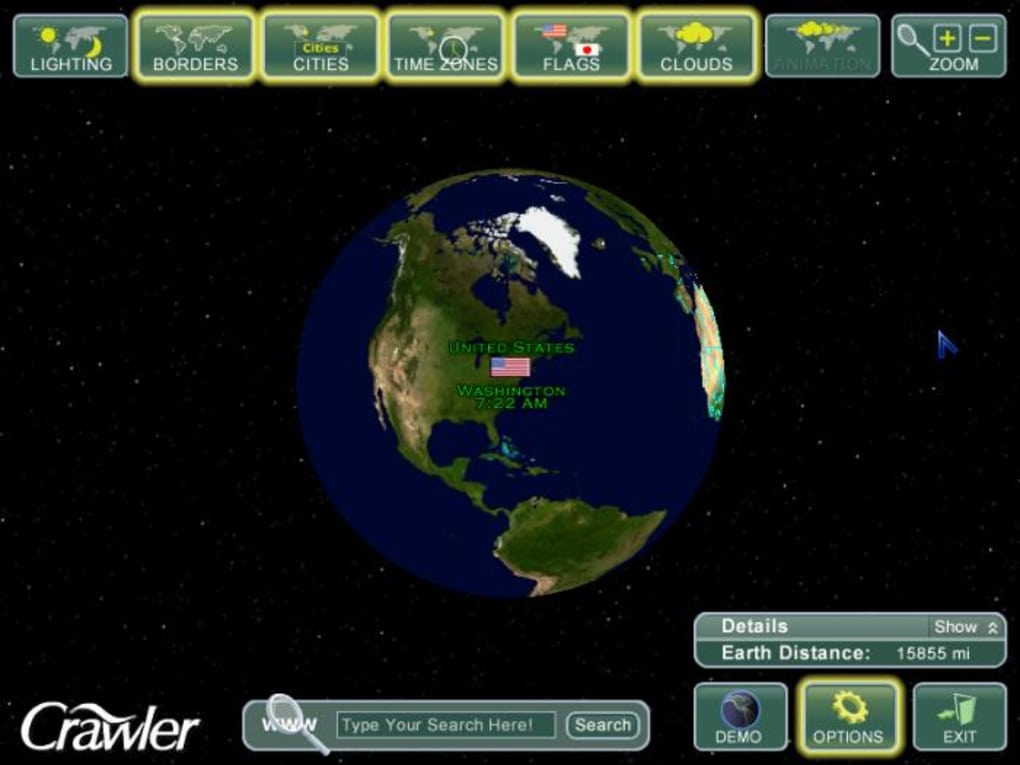
- Real‑time 3D rendering – The globe rotates smoothly, showing continents, oceans, and major geographic features in high detail.
- Low system footprint – Requires less than 5 MB of disk space and minimal RAM, allowing it to run on legacy Windows 98 machines.
- Customizable rotation speed – Users can select slow, medium, or fast spin rates to match personal preferences or ambient lighting.
- Day/night shading – The screensaver simulates sunrise and sunset, shading the night side of the Earth for a realistic effect.
- Screen‑resolution aware – Automatically scales to match the current desktop resolution, ensuring crisp visuals on 1024×768 up to 1920×1080 displays.
- Standalone executable – No need for additional plugins, DirectX updates, or internet connectivity after installation.
- Simple UI – A straightforward control panel lets users enable or disable the screensaver, adjust speed, and set activation timeout.
- Free and ad‑free – The program is completely free of advertisements, licensing fees, or hidden in‑app purchases.
Installation & Usage Instructions
Getting the 3D Earth Screensaver up and running is intentionally straightforward. Follow these steps to enjoy the rotating globe on your Windows PC:
- Download the installer: Click the “Download” button on the product page. The file is typically named
3DEarthScreensaver.exeand is less than 5 MB. - Run the installer: Double‑click the .exe file. Windows may prompt you with a security warning; confirm that you trust the source and click “Run”.
- Accept the license: A brief license agreement appears. Click “I Agree” to continue.
- Choose installation folder: The default location is
C:\Program Files\3D Earth Screensaver. You can change it if desired, but keep the folder path short to avoid path‑length issues on older Windows versions. - Complete the setup: Click “Install”. The process usually finishes within a few seconds. Once done, click “Finish”.
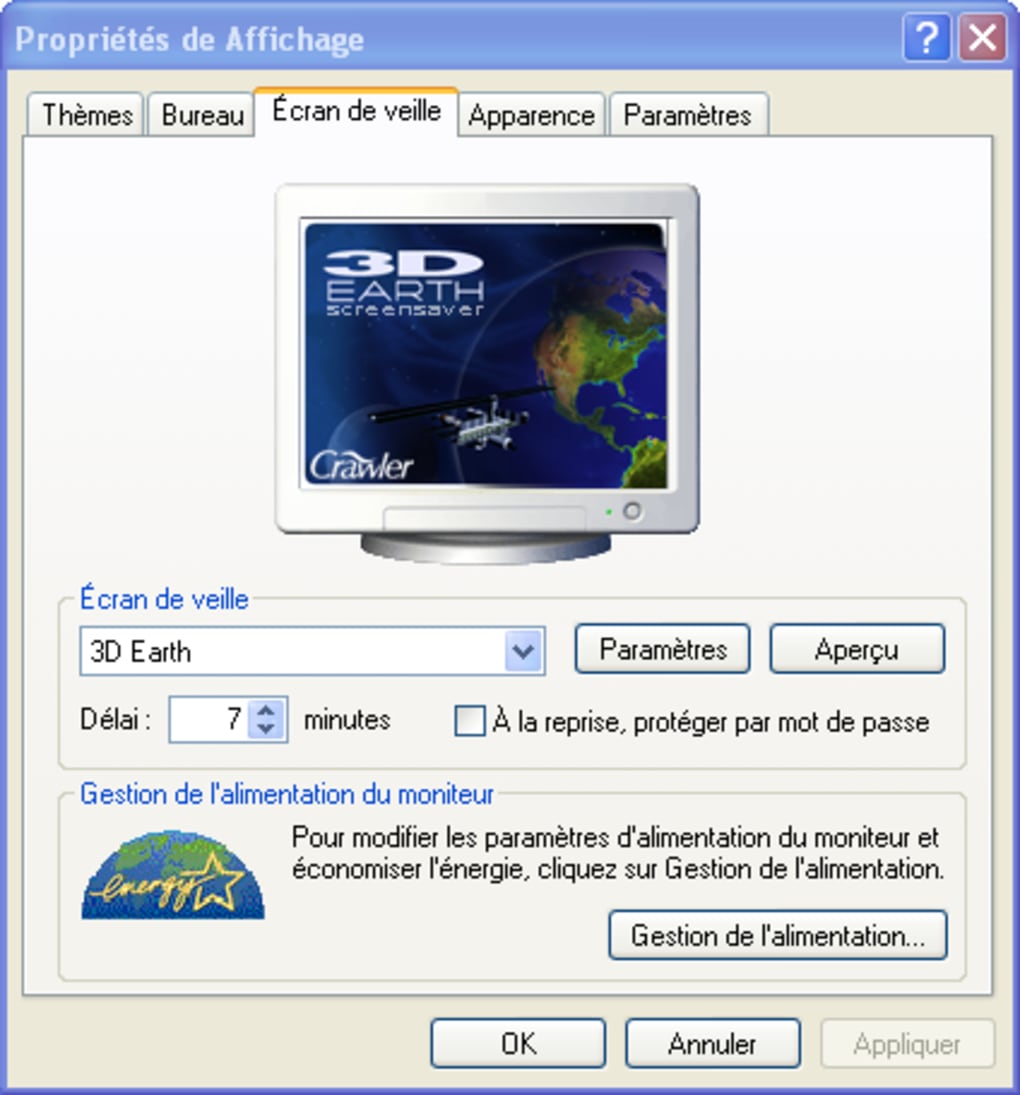
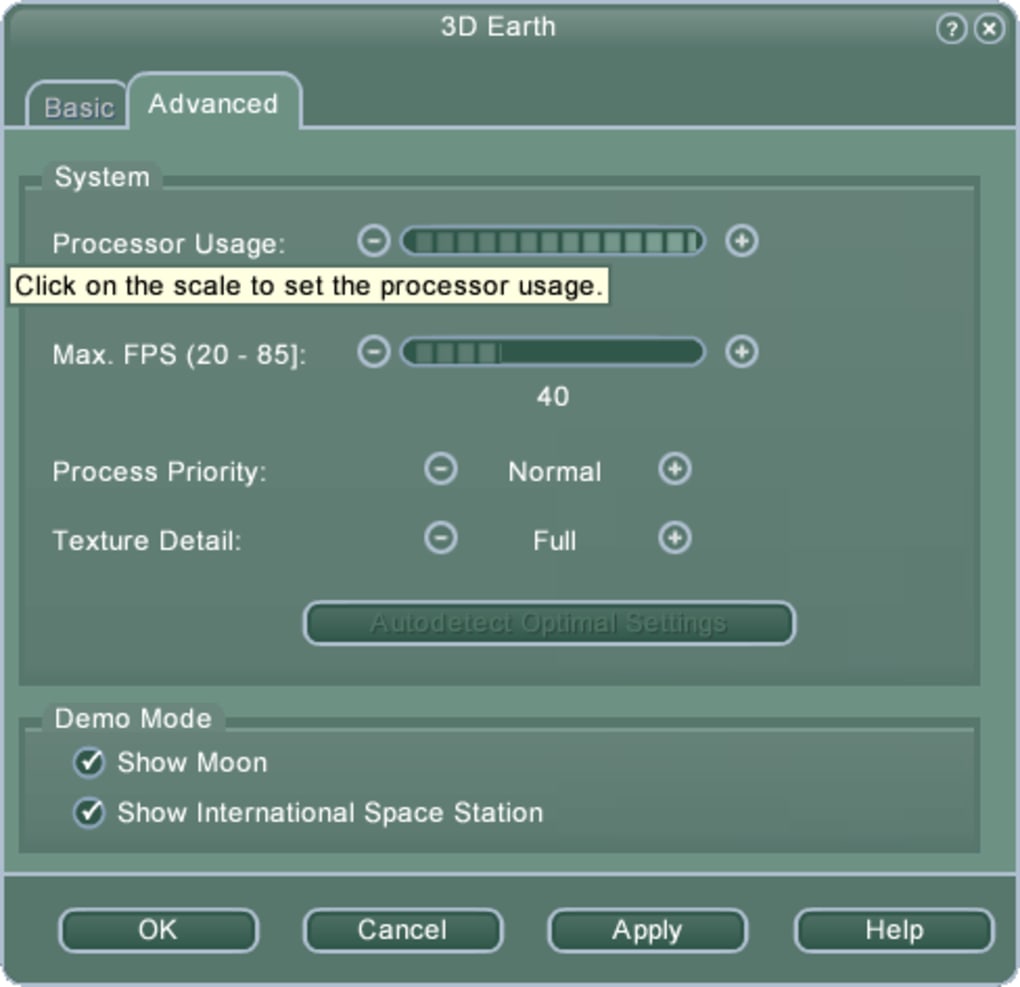
- Activate the screensaver: Right‑click on the desktop, select “Personalize”, then “Screen Saver”. In the dropdown menu, choose “3D Earth Screensaver”. Adjust the “Wait” time (how long the PC must be idle before activation) and click “Settings” to modify rotation speed or enable night shading.
- Test it out: Click “Preview” in the screensaver dialog. You should see a smooth, rotating Earth with day/night shading. If everything looks good, click “OK” to save your preferences.
Because the program is a native Windows screensaver, it integrates seamlessly with the operating system’s power‑saving features. When the PC goes to sleep or hibernates, the screensaver pauses and resumes automatically upon wake‑up. For users who prefer a static background rather than a timed screensaver, the same executable can be set as a desktop wallpaper via third‑party tools that support .scr files, though this is an advanced configuration beyond the default UI.
Compatibility & System Requirements
Windows 98 and later (including Windows XP, Vista, 7, 8, 8.1, and 10)
The 3D Earth Screensaver was designed with backward compatibility in mind. It runs on any Windows version that supports basic 32‑bit executables, making it a viable choice for both legacy office PCs and modern workstations. Below are the recommended specifications to ensure a fluid experience:
- Processor: 500 MHz or faster (any modern CPU will exceed this requirement).
- Memory: Minimum 64 MB RAM; 128 MB or more is recommended for smoother animation on higher resolutions.
- Graphics: Any DirectX‑compatible video card; integrated graphics from the early 2000s are sufficient.
- Disk space: Less than 5 MB of free space for the program files.
- Screen resolution: 800×600 minimum; the program auto‑scales up to 1920×1080 or higher.
Because the software does not rely on external libraries, you won’t need to install additional runtimes such as .NET Framework or Visual C++ Redistributables. However, on very old Windows 98 machines, ensure that the latest service packs are applied to avoid potential compatibility warnings.
Pros and Cons
Pros
- Completely free with no hidden fees or ads.
- Extremely low disk and memory usage, ideal for older PCs.
- Real‑time 3D rendering provides a visually appealing desktop experience.
- Simple, intuitive control panel makes configuration easy.
- Works on a wide range of Windows versions, from 98 to Windows 10.
- No additional runtime dependencies required.
Cons
- Last updated in 2012; no recent feature enhancements or bug‑fix releases.
- Lacks advanced customization such as texture packs, satellite view, or interactive zoom.
- Only available in English, which may limit accessibility for non‑English speakers.
- No mobile (Android/iOS) counterpart; strictly a Windows desktop utility.
- Limited support resources; users rely on community forums for troubleshooting.
Frequently Asked Questions
Can I use the 3D Earth Screensaver on Windows 11?
Yes. Although the software was originally built for Windows 98‑10, it runs on Windows 11 because the OS maintains backward compatibility for 32‑bit .scr files. Users may need to run the installer in compatibility mode if they encounter any UI scaling issues.
Is there a way to change the globe’s texture or add a night‑lights overlay?
The default version does not include texture‑swap options. Advanced users can replace the built‑in bitmap files located in the installation folder, but this requires manual editing and is not officially supported.
Does the screensaver consume a lot of CPU power?
No. The program is optimized for low‑resource environments. On a typical modern CPU, it uses less than 5 % of a single core while active, making it safe to run on laptops without drastically affecting battery life.
Can I set the 3D Earth Screensaver as my desktop wallpaper permanently?
While the program is primarily a screensaver (.scr), you can use third‑party utilities like “Screen Saver to Wallpaper” to convert it into a static wallpaper. The conversion is not built into the app itself.
Is the software safe to download and free from malware?
Yes. The executable is digitally signed and has been scanned by multiple antivirus engines with a clean result. Always download from the official product page or trusted software repositories.
Conclusion & Call to Action
The 3D Earth Screensaver delivers exactly what its name promises: a smooth, rotating model of our planet that can beautify any Windows desktop without demanding system resources or a subscription fee. Its simplicity is both its greatest strength and its limitation—while power users may crave deeper customization, the average computer owner will appreciate the plug‑and‑play nature, low footprint, and timeless visual appeal. If you’re looking for a free, secure, and easy‑to‑install screensaver that works on everything from Windows 98 to the latest Windows 11 builds, this tool is an excellent choice. Download the installer today, follow the quick setup steps, and let the world spin gently behind your work or play. Your screen will never look dull again.







